Dictate legal documents · Windows

Voice typing for lawyers

Dictate contracts, claims, demand letters and legal opinions by voice. Luviomic recognizes your speech, strips out the “ums” and slips, and inserts clean, ready text at the cursor — in Word, your legal research system or CRM. Draft documents 2–3× faster.

Cursor in the document · Ctrl + Alt + Q · speak — text is ready. Audio is never stored.
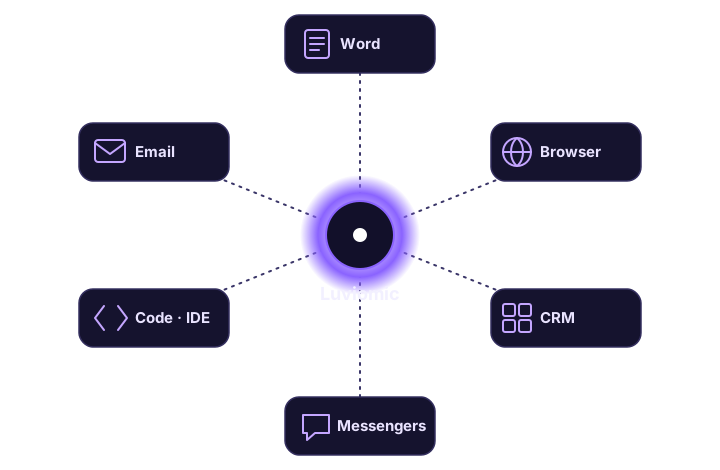
Dictation is inserted into any legal app: Word, legal research systems, CRM

More documents, less strain on your hands

Dictating instead of typing long texts is real time back in your day.

Contracts & claims

Dictate the draft of a contract, statement of claim or demand letter — the text lands ready and polished.

In Word & legal systems

Text is inserted into Microsoft Word, legal research systems, the browser and CRM — into any Windows window.

The right tone for the task

“Verbatim” for precise wording, “business” for letters to clients and opposing counsel.

2–3× faster than typing

Long documents are dictated far faster than typing them out on a keyboard.

Privacy

Audio is deleted right after recognition — voice recordings are never kept.

Quick start

Installs without admin rights, and the first 15 minutes are free.

Try it on your own documents

Plans with included minutes plus top-ups, starting with the Mini tier at $4.99/mo. First 15 minutes free, no card.

FAQ — voice typing for lawyers

Can I dictate contracts and claims by voice?

Yes. Place the cursor in your Word document or legal system and press Ctrl + Alt + Q — Luviomic recognizes your speech and inserts the ready text of a contract, claim or legal opinion right at the cursor.

Does voice typing work in Word and legal software?

Luviomic inserts text into any Windows window: Microsoft Word, your browser, legal research systems and CRM. It doesn’t depend on the keyboard layout.

How much faster is it than typing?

Dictation is usually 2–3× faster than typing on a keyboard — a draft of a long document comes together noticeably sooner.

Related