Medical dictation · Windows

Voice typing for doctors

Dictate clinical notes, exam reports and chart entries by voice — when your hands are busy or you're tired of typing. Luviomic recognizes your speech, strips out the “um”s and drops clean, finished text at the cursor — in Word, your EHR or the patient chart.

Cursor in the field · Ctrl + Alt + Q · speak — text in the chart. Audio is never stored.
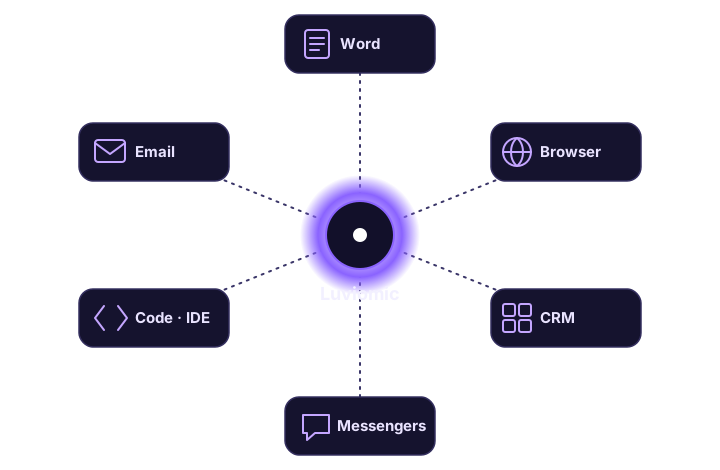
Dictation drops into any doctor's app: Word, a web-based EHR in the browser, the patient chart

Less paperwork, more patients

Dictating instead of typing saves time on every visit.

Notes & reports

Dictate a clinical note or exam report — it lands in the document finished and cleaned up, ready to sign.

Works in any app

Word, a web-based EHR in the browser, your clinical system, the patient chart — Luviomic inserts text into the active Windows window.

When your hands are busy

Voice beats typing between procedures. One hotkey and the text is there — no reaching for the keyboard.

Speech cleanup

We remove fillers and slips. Choose a verbatim tone when the exact wording has to stay intact.

Privacy

Audio is deleted the moment it's recognized — voice recordings are never kept.

Quick start

Installs without admin rights, first 15 minutes free — try it right at your workstation.

Try it during a visit

Plans with included minutes plus top-ups — the Mini plan starts at $4.99/mo. First 15 minutes free, no card.

FAQ — voice typing for doctors

Can I dictate clinical notes by voice?

Yes. Place the cursor in the field you need — the patient chart, Word or your EHR — and press Ctrl + Alt + Q. Luviomic recognizes your speech and inserts the finished note at the cursor.

Does voice typing work inside my EHR?

Luviomic inserts text into any Windows window, including web-based EHRs in the browser and desktop clinical systems. It doesn't depend on the keyboard layout or the specific system you use.

Are the doctor's voice recordings kept?

No. Audio is processed and deleted immediately — voice recordings are never stored. Only minute-usage metadata is retained.

Do I need the internet?

Yes, recognition runs on our server. No API key to configure — just sign in and dictate.

Related